Welcome to Housebuild PM, an all-in-one construction project management software for builders designed for busy construction professionals and homeowners. Whether you are a sole trader managing a few local renovations or a growing firm handling multiple large-scale builds, HousebuildPM is built to bring clarity, organization, and speed to your projects.
In this comprehensive guide, we will walk you through the seamless sign-up process and demonstrate how to leverage our core features to keep your projects moving forward and ensure you get paid faster. By the end of this article, you will have a complete understanding of how to set up your account and maximize the platform’s capabilities.
How to Sign Up: A Step-by-Step Flow
We have designed our registration process to be as straightforward as possible, ensuring you can get your first project live in minutes. The following sections outline each stage of the onboarding journey.

Upon navigating to the Housebuild PM website, users are prompted to initiate the registration process by clicking the Get Started button. This action leads to a pivotal choice, allowing prospective users to self-identify as either a Builder (intended for contractors, tradespeople, and construction firms) or a Client (designed for homeowners and developers seeking to monitor their construction projects). This initial selection tailors the subsequent registration steps to the user’s specific role within the construction ecosystem.
The distinction between these two pathways is crucial. Builders gain access to comprehensive tools within a modern construction project management software environment, including invoicing capabilities and team collaboration features. Clients, conversely, receive a streamlined interface focused on project visibility, milestone tracking, and communication with their assigned Builder.
Step 1: The subsequent step involves providing fundamental contact details, including an email address and mobile number.
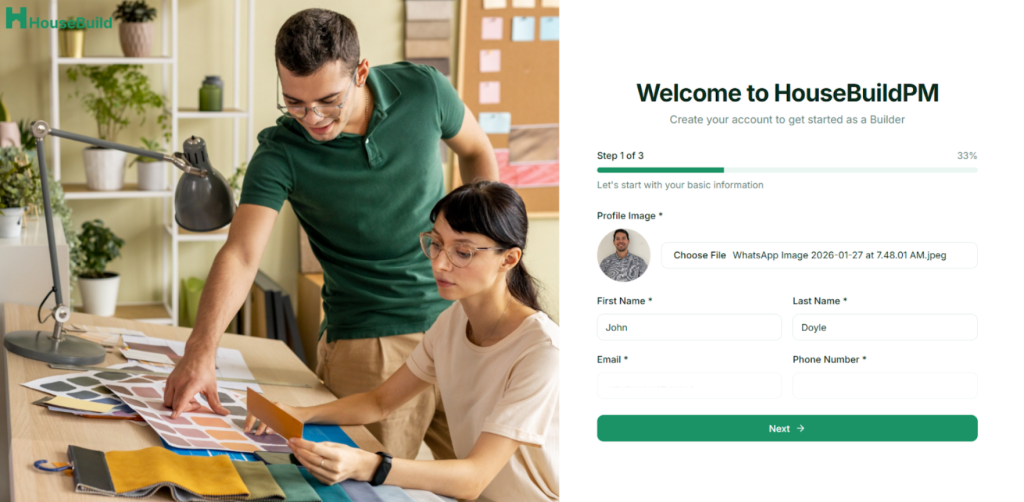
To ensure robust security and streamline the authentication process, Housebuild PM employs a One-Time Password (OTP) system. This OTP is dispatched to the registered email address for verification, thereby obviating the necessity for traditional, complex passwords and enhancing user data security.
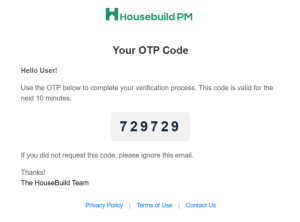
The OTP is valid for only ten minutes, adding an additional security measure against unauthorized access.
Step 2: Add more specific details
For users registering, the platform needs the submission of more specific information depending if creating a builder or client account. This includes comprehensive Business Details, such as the business name, organizational type, and accumulated years of experience.

Step 3: Prior to finalizing registration, users are afforded the opportunity to enhance their professional profile by contributing to their Portfolio. This optional but highly recommended step involves uploading photographic evidence and detailed descriptions of previously completed projects. A well-curated portfolio serves as a potent instrument for Builders to effectively demonstrate their expertise and project capabilities directly to prospective clients within the HousebuildPM platform.
A strong portfolio can significantly influence a client’s decision to engage your services. Include high-quality photographs of completed projects, detailed descriptions of the work performed, project timelines, and budget information. This transparency builds confidence and can lead to more inquiries and better project opportunities.